Takeoffs straight off the blueprint.

Open the plans or an overhead photo of the house, set the scale, and trace. Centrace Takeoff works out squares with pitch and waste, linear feet and counts, prices the job from your own price list, and gives you a clean PDF report.

Windows desktop software for roofing, sheetrock, insulation and siding contractors.

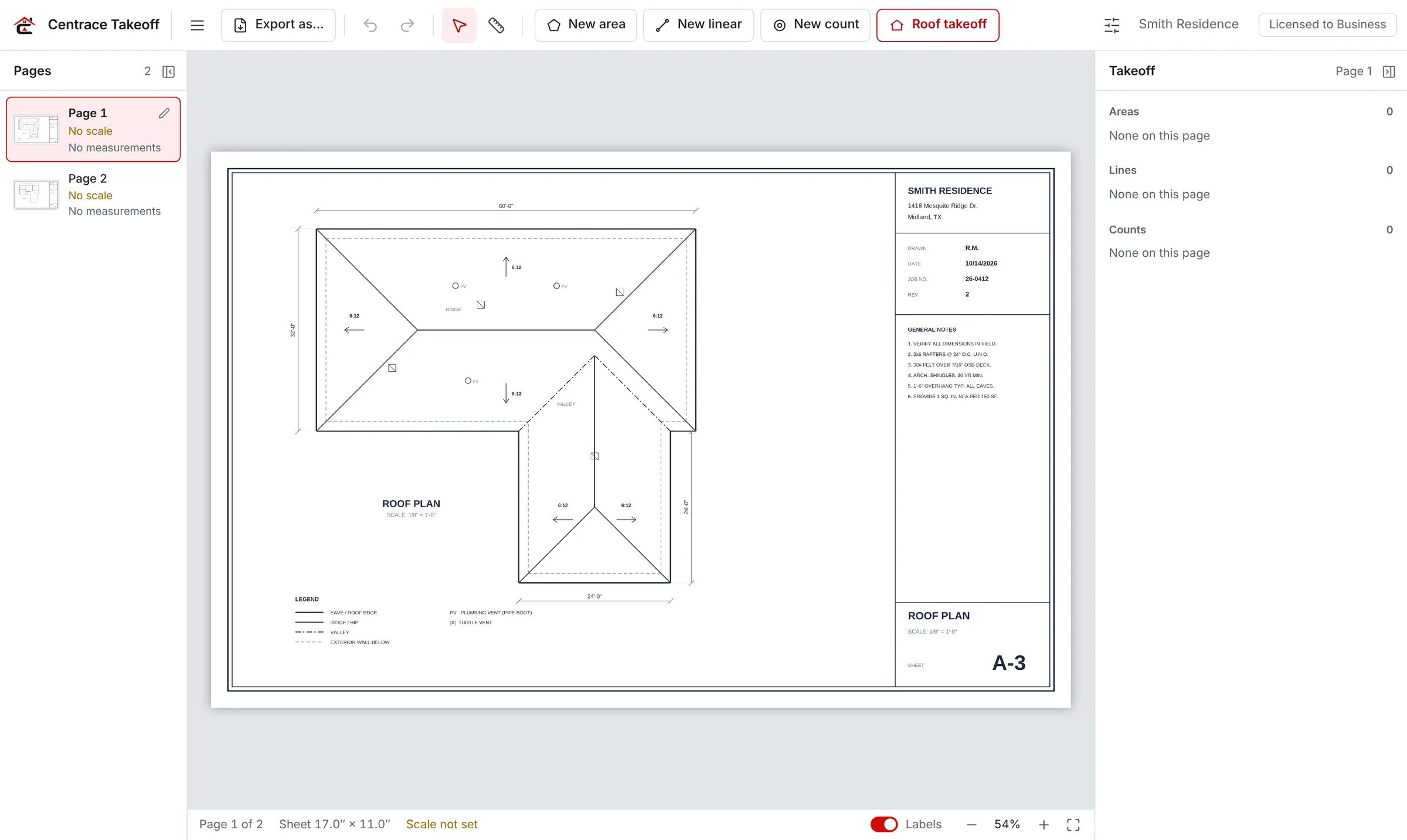
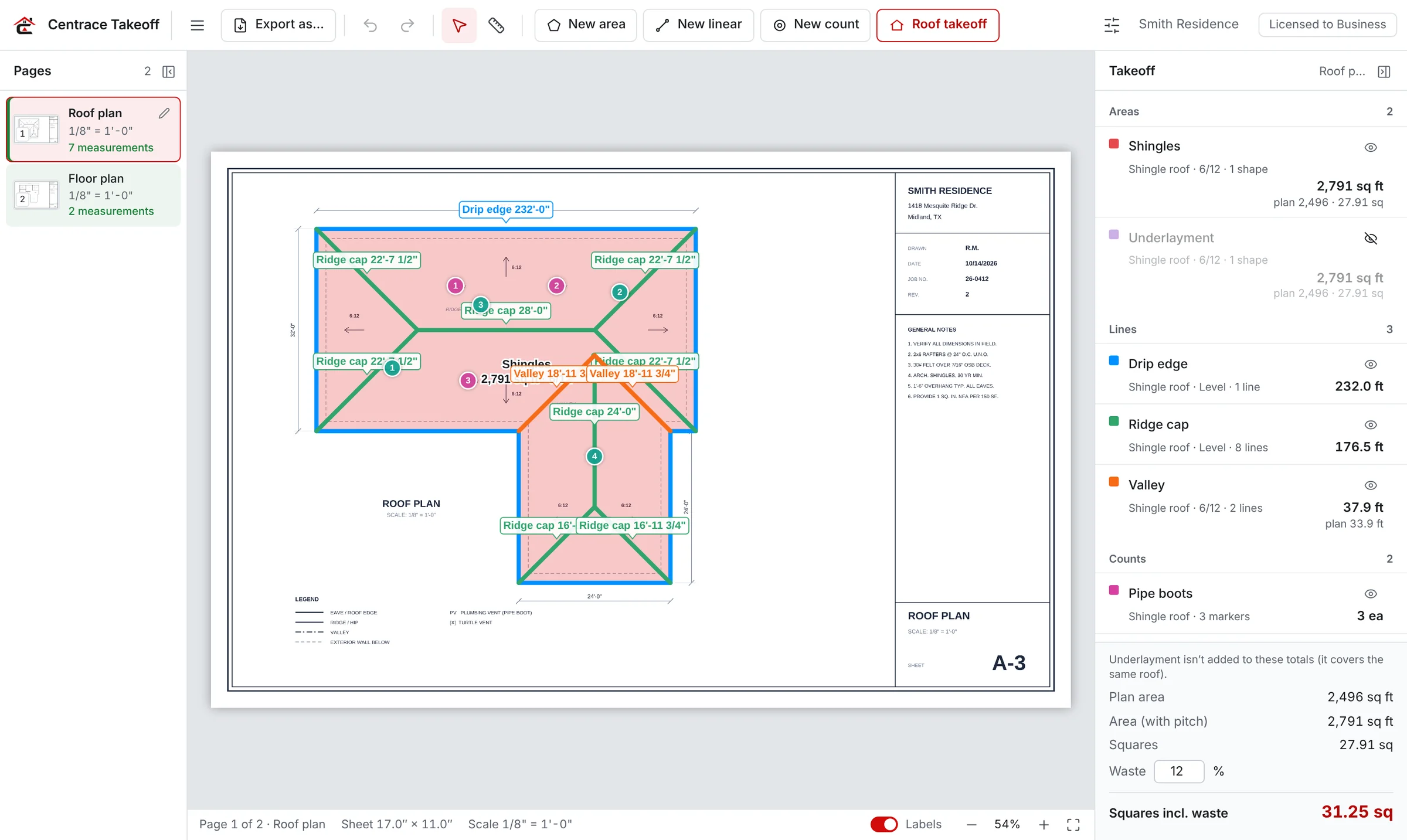
Centrace Takeoff with a roof plan open: the roof area, drip edge, ridge cap, valleys, pipe boots and turtle vents are traced in color, and the takeoff panel shows 31.25 squares including waste.
Sample job: a 2,496 sq ft roof plan at 6/12 comes out to 31.25 squares with 12% waste.

From plans to a priced takeoff in four steps

  1. Open the blueprint

    A PDF with every page, a scan or photo of paper plans, or an overhead aerial photo of the house (PNG or JPG).

  2. Set the scale

    Pick the scale printed on the sheet, like 1/8" = 1'-0", or measure a distance you know, like a driveway on an aerial photo.

  3. Trace

    Click around roof areas, along edges and ridges, and on each boot or vent. Totals update as you go.

  4. Export the report

    A PDF with the marked-up pages and your pricing, or an Excel spreadsheet.

No plans? Measure from an aerial photo.

Drop in an overhead picture of the house. Set the scale from one distance you know, like the width of the driveway or a wall you've taped, and the photo is ready for measurements. Trace the roof the same way you would on a blueprint, and the pitch you choose turns the flat footprint into true roof area.

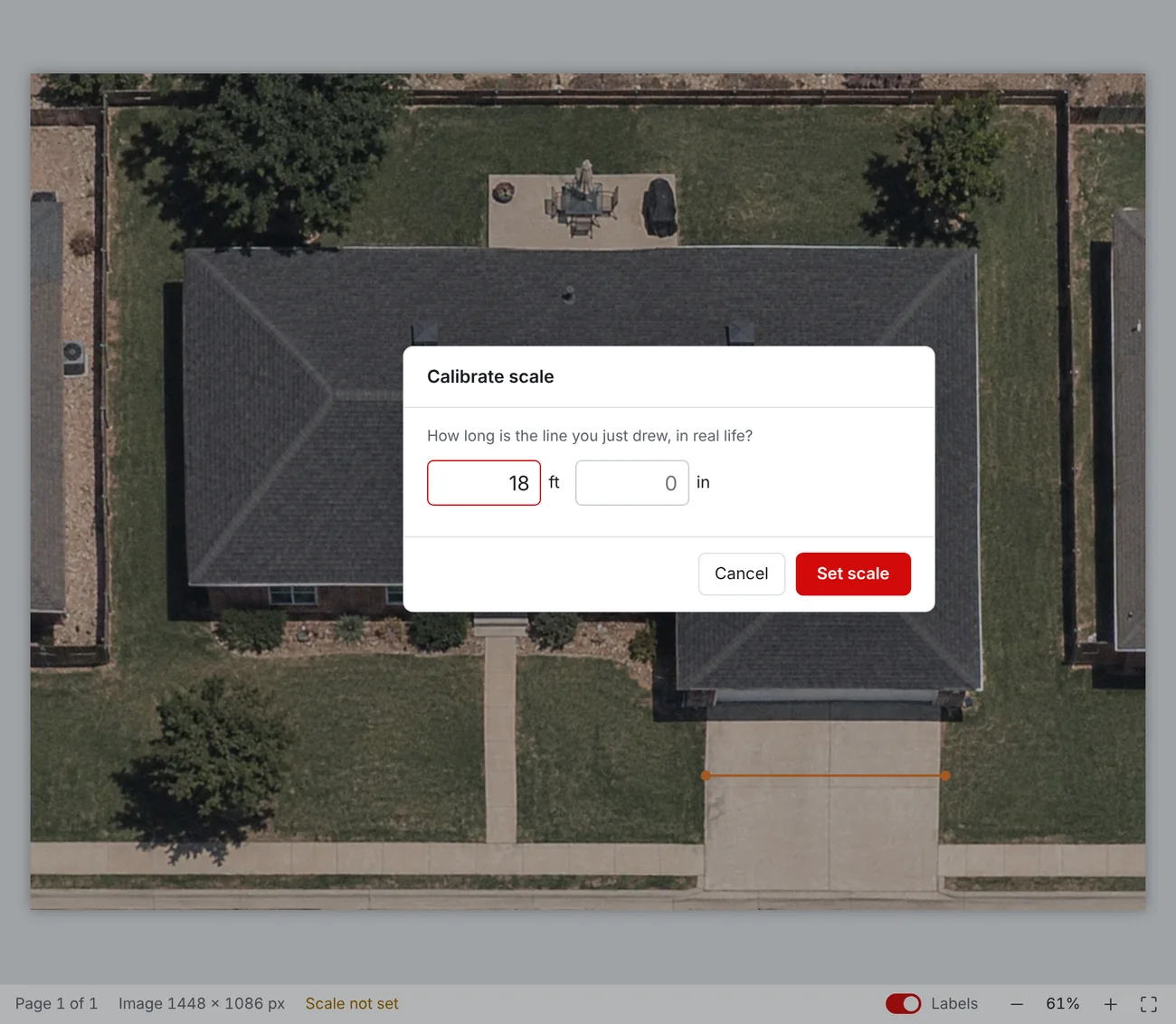
An overhead photo of a house open in Centrace Takeoff. A line is drawn across the driveway and the Calibrate scale box says it is 18 feet.
Scale it. Click both sides of something you know and type its length.
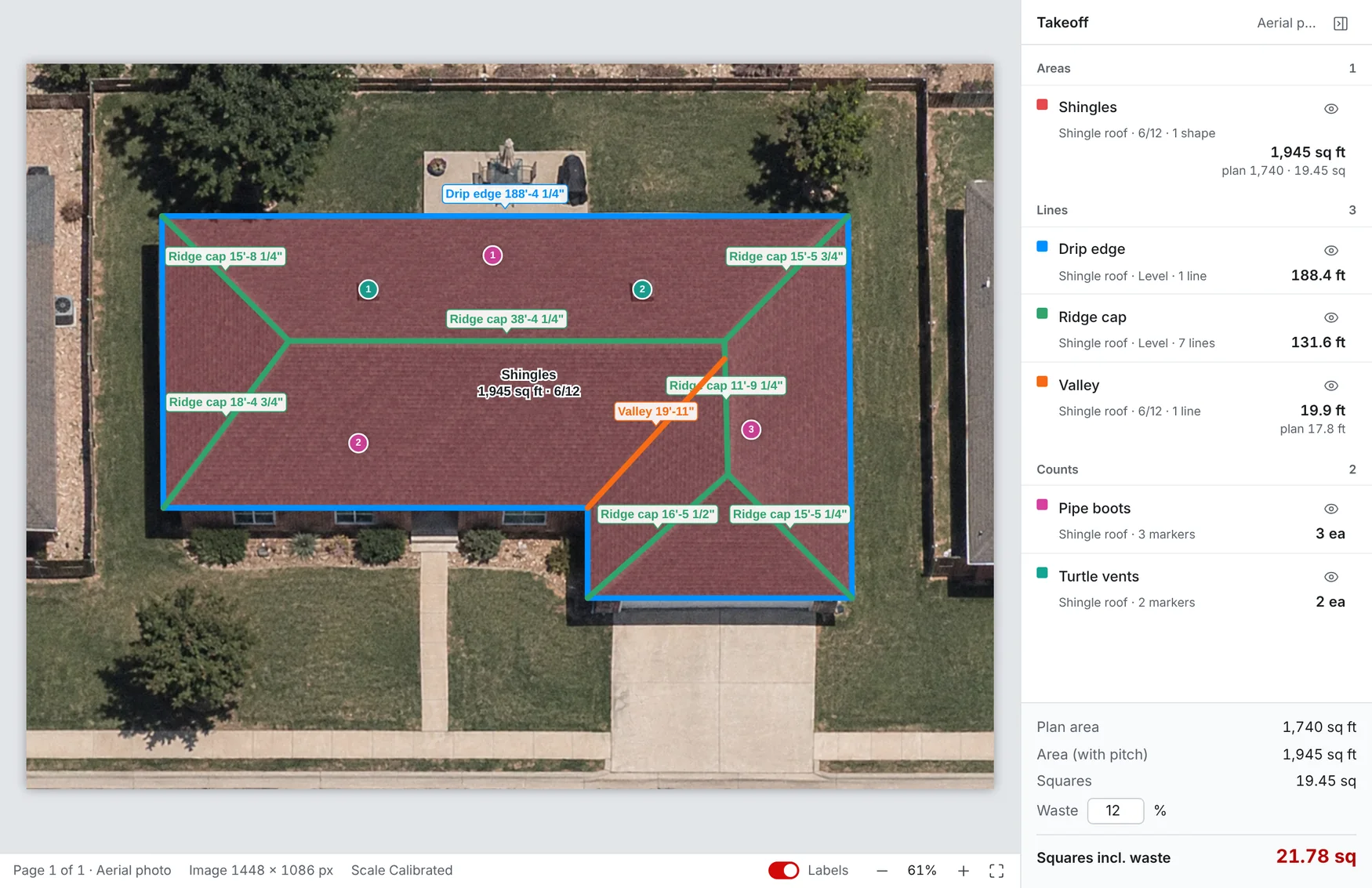
The same photo with the roof traced: shingles, drip edge, ridge cap, a valley, pipe boots and turtle vents. The panel shows 21.78 squares including 12% waste.
Measure it. Squares, ridges, valleys, edges and vents, with the same totals and report as a blueprint.

Designed for roofers, built for everyone

Centrace Takeoff started on roof plans, so roofers get ready-made items for Shingle, Metal and Flat roofs: shingles, underlayment, drip edge, ridge cap, valleys, pipe boots, vents and more, with squares and pitch worked out for you.

Everyone else gets the same tools. Trace areas, lines and counts for sheetrock, insulation, siding or anything you measure off a set of plans, and add your own items when the list doesn't have what you use.
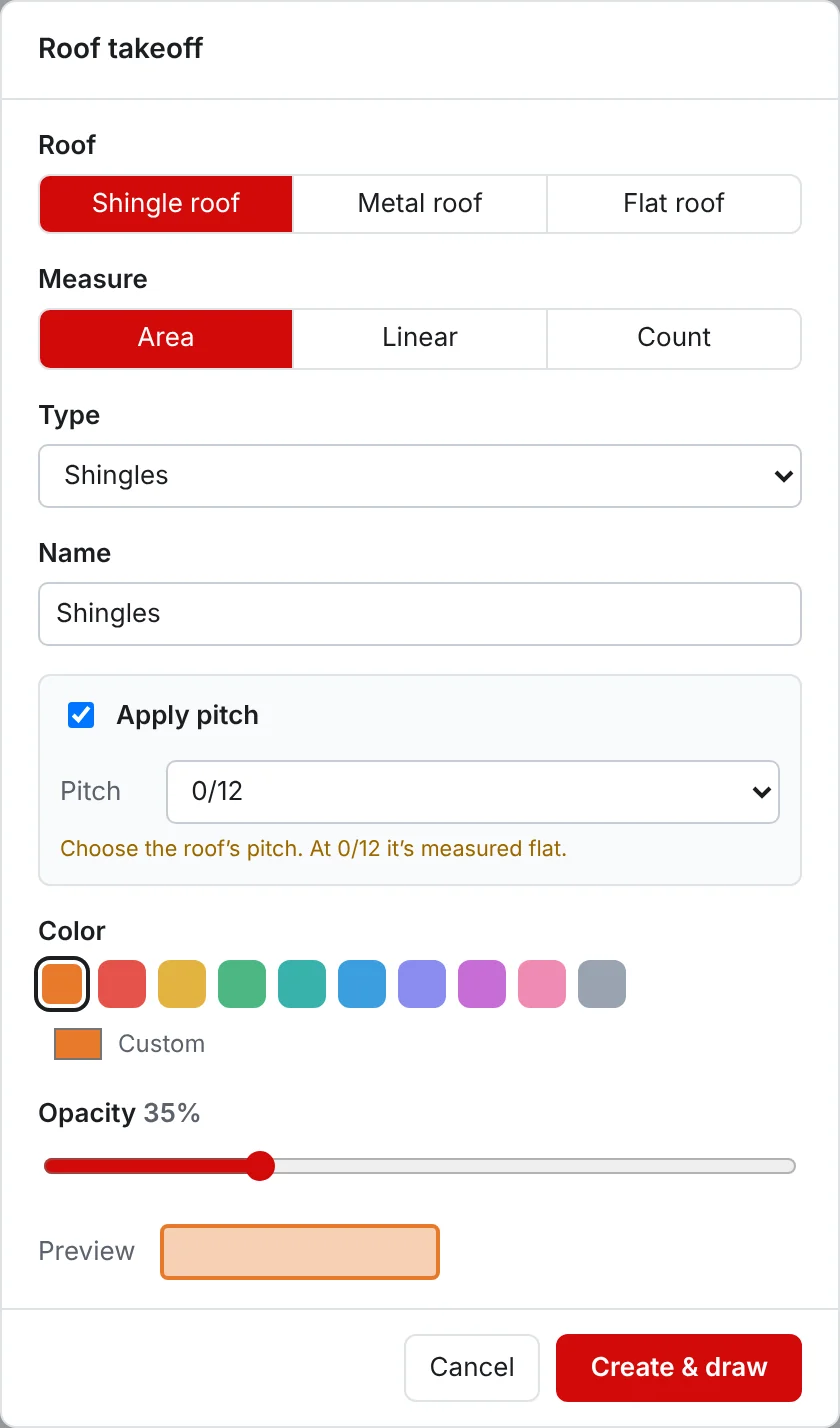
The New roof measurement box: Shingle, Metal or Flat roof; Area, Linear or Count; a Shingles type; and a pitch setting.

Walls, siding, insulation and more

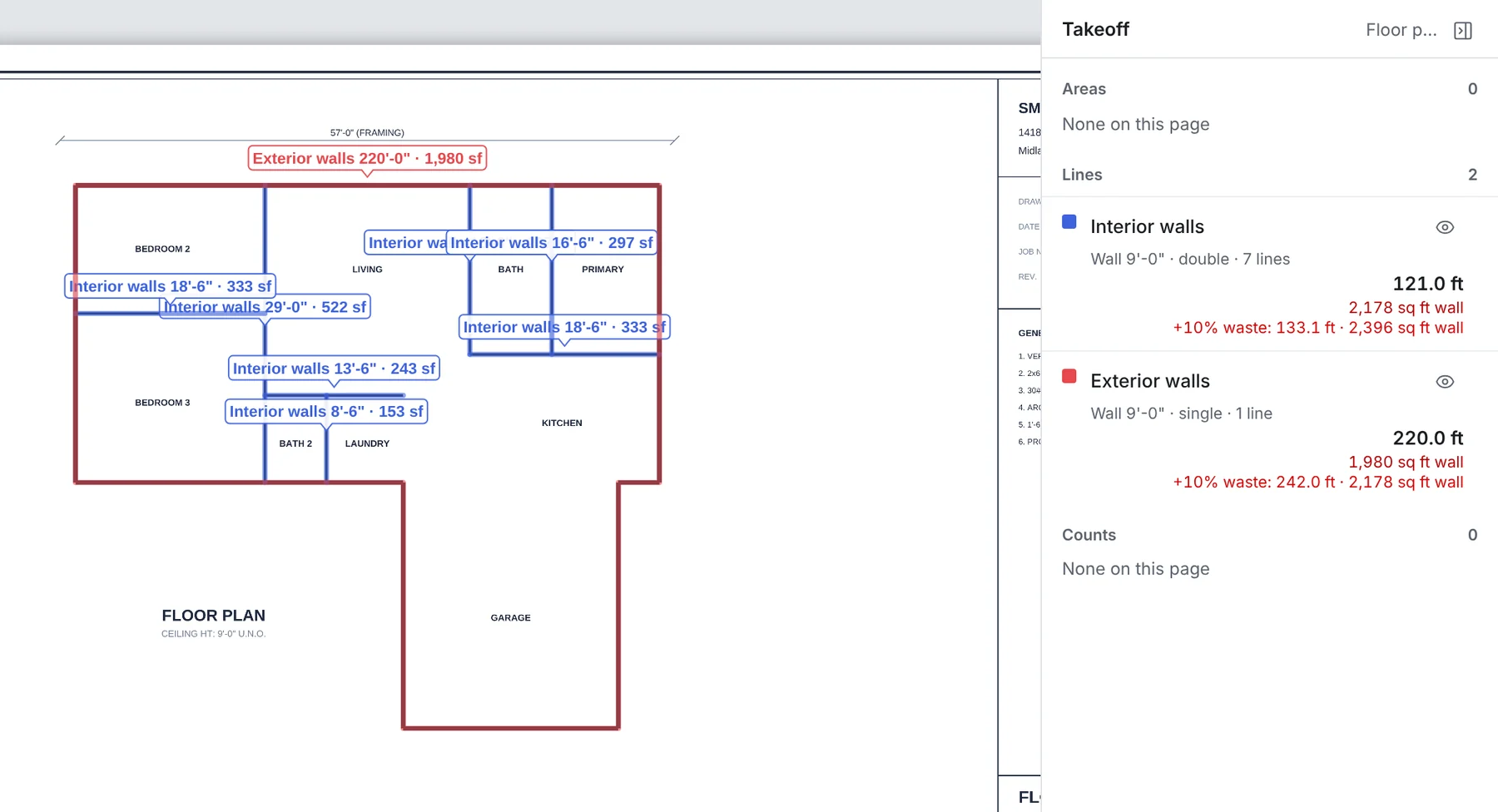
Turn any line into a wall. Give it a height and one or two sides and you get wall area for sheetrock.

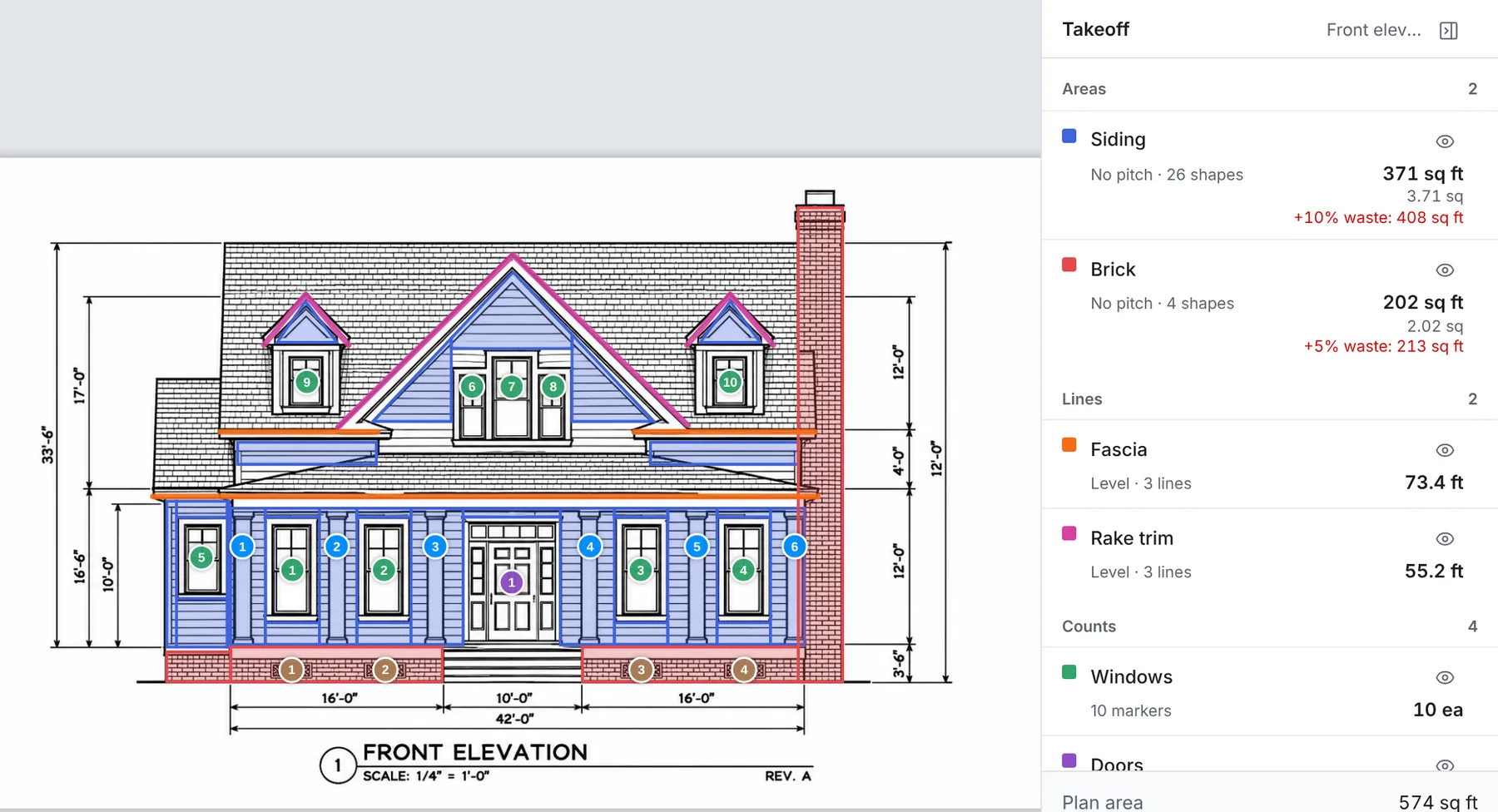
On the elevations, trace siding and brick around the windows and doors, count windows, doors, porch columns and vents, and run fascia and rake trim in linear feet. Trace areas for insulation too, and add a waste percentage to any item.

A front elevation with the siding and brick traced around the windows and doors, 10 windows, the front door, 6 porch columns and 4 foundation vents counted, and the fascia and rake trim measured. The panel shows 371 sq ft of siding and 202 sq ft of brick.
A floor plan with interior and exterior walls traced. The panel shows wall area at 9 feet high for sheetrock.
Drag the slider to switch between the floor plan and the front of the house.

Your prices, your markup

Enter what you pay and your markup as a percent or in dollars, or type the sales price and let it work out the markup.

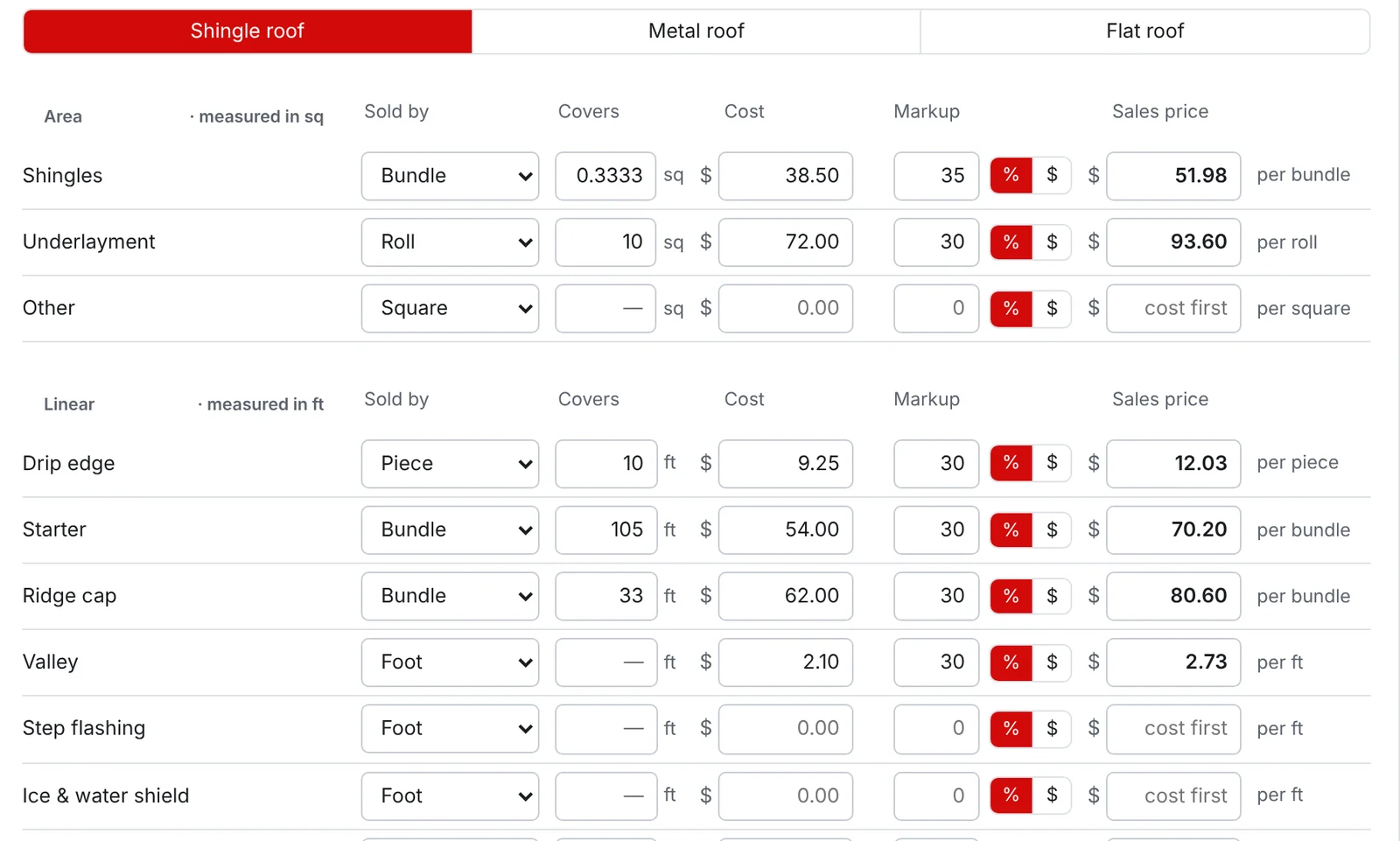
Price by the square, foot, roll, bundle or piece. Tell it three bundles make a square and the report rounds up to whole bundles. Your price list is used on every job, and you can change a price for just one takeoff.

The price list: each roofing item has Sold by, Covers, Cost, Markup and Sales price, for example shingles at $38.50 a bundle with 35% markup.

A report you can hand over

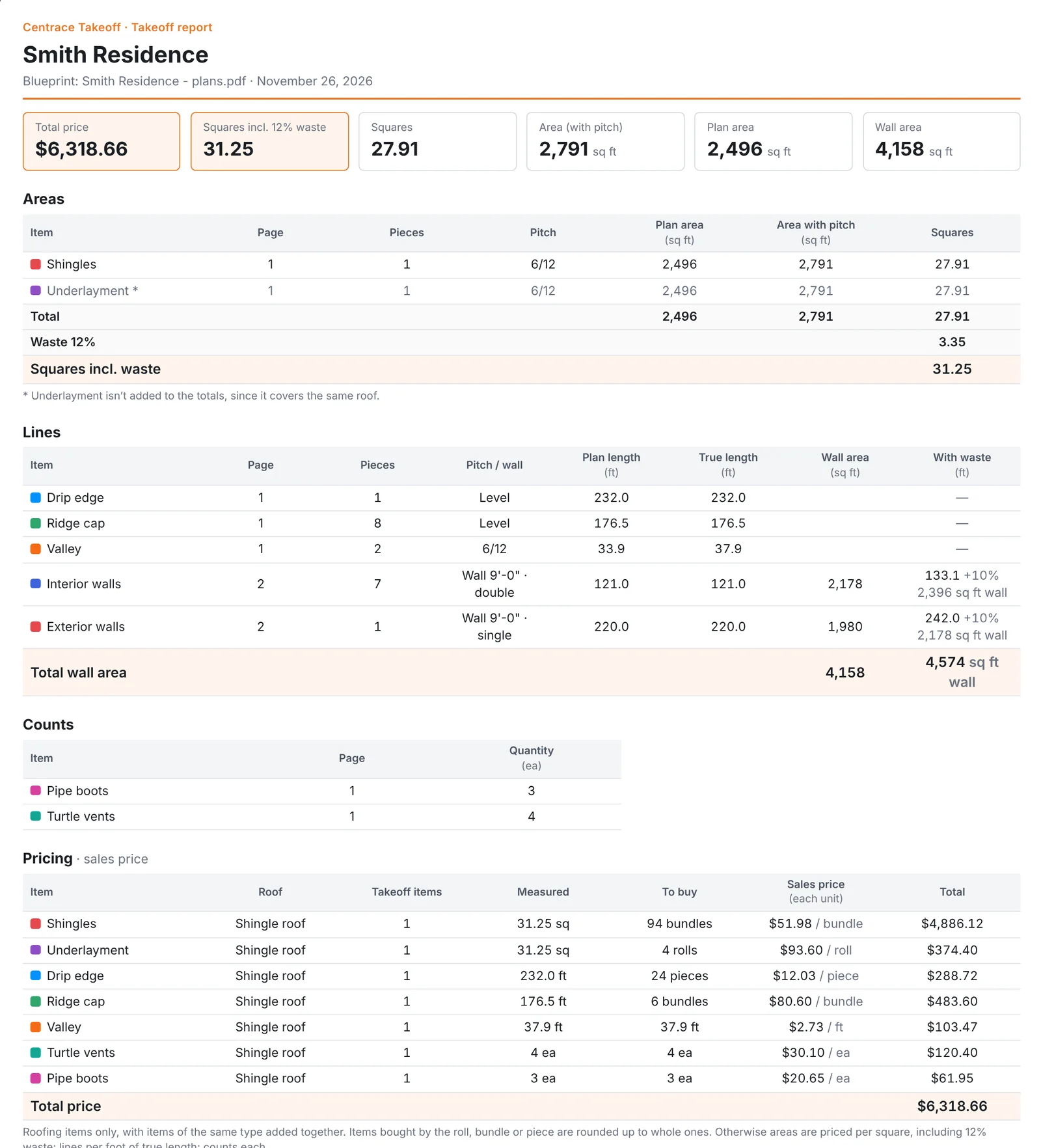
One PDF with the job totals, squares including waste, every item you measured, a priced material list with how many rolls and bundles to buy, and each page marked up in color.

Show your cost or your sales price. Need it in a spreadsheet instead? Export to Excel with the totals still working as formulas.

A takeoff report for the Smith Residence: total price $6,318.66, 31.25 squares including 12% waste, tables of areas, lines and counts, and a pricing table.

The everyday stuff is covered

  • Undo and redo for every change.
  • Copy and paste an item, then switch its type: shingles become underlayment in two clicks.
  • Saved project files that keep the blueprint inside, so a job opens the same on any computer.
  • Hide items on the drawing without losing them from the totals.
  • Name your pages, like Roof plan or Floor plan.
  • Several pages and pieces: one item can run across the whole set of plans.

Pricing

$200 per computer, one-time

  • The full app: roofing, sheetrock, insulation and siding
  • A license key you type in once
  • Works without internet after it's activated
  • Move it to a new computer whenever you need to

Buying for your whole crew or office? Email about licenses for more than one computer.

Email to buy

How buying works

  1. Email jms.martens17@gmail.com. Ask anything you want first.
  2. You get the installer and your license key.
  3. Install it, type in the key, and open your first set of plans.

Runs on Windows 10 and 11. Sold directly by JDMRT.

Questions

Does it need the internet?

Only the first time, to activate your license key. After that it runs without internet and quietly checks in when you're online.

What kinds of plans can it open?

PDF files (every page) and pictures: PNG and JPG, including scans of paper plans, phone photos and overhead aerial photos of a house. On a picture you set the scale from a distance you know.

Does it work on a Mac?

No, it's for Windows 10 and 11 PCs.

What if I get a new computer?

Remove the license from the old computer inside the app, then type the same key on the new one. If the old computer died, send an email and it'll be freed up for you.

Can I put my own prices in?

Yes. Your cost and markup for each roofing item, by the square, foot, roll, bundle or piece. Prices stay on your computer and are used for every takeoff.

Ready to stop measuring with a scale ruler?

Send an email and you'll hear back from the person who builds it.

jms.martens17@gmail.com